
Guide
The best Discord bots for paid memberships
A membership bot takes the payment and gives the buyer a Discord role, then takes it away when they stop paying. Here are the main options for selling paid memberships on Discord, what each costs, and who each one suits. We make Lance, so it’s first, but every other option is described from its own pages.
Prices from each company’s own pages, checked November 2026.
At a glance
| Lance | Whop | LaunchPass | Upgrade.chat | Discord Server Subscriptions | |
|---|---|---|---|---|---|
| Monthly fee | None | None | $0 Basic, $29 Premium | None on the free plan | None |
| Fee per sale | 2.5% + Stripe’s fees | 3% with Whop’s Discord app, plus 2.7% + $0.30 processing (domestic cards) | 3.5% on Premium + Stripe’s 2.9% + $0.30 | 5.9% on the free plan; lower on paid plans | 10% (Discord keeps 10%, you get 90%) |
| Where the money goes | Your own Stripe account | Whop, then a payout you withdraw | Through Stripe | See Upgrade.chat | Discord, then a monthly payout |
| What you can sell | Discord roles | Many kinds of digital products | Access to Discord, Slack and Telegram | Discord and Telegram access, donations | Discord subscription tiers |
| Who can use it | Anyone with a Stripe account | See Whop | See LaunchPass | See Upgrade.chat | US owners, 18+ |
1. Lance: best for selling Discord access into your own Stripe
Lance is built only for Discord. Members buy inside your server, the money lands in your own Stripe account, and the role comes and goes with their payments, so there’s nothing to check by hand.
Best for
- All you sell is access to your Discord server
- You want the money in your own Stripe account, not a platform balance
- You want members to check out without leaving Discord
Price
- No monthly fee
- 2.5% per sale, plus Stripe’s processing fees
What Lance does
You put a price on a Discord role with /create and post it with /post. Members press Get access and check out privately inside Discord, with cards, Apple Pay, Google Pay, Link or Cash App Pay. The money goes straight into your own Stripe account, Lance gives them the role, and takes it away when they stop paying.
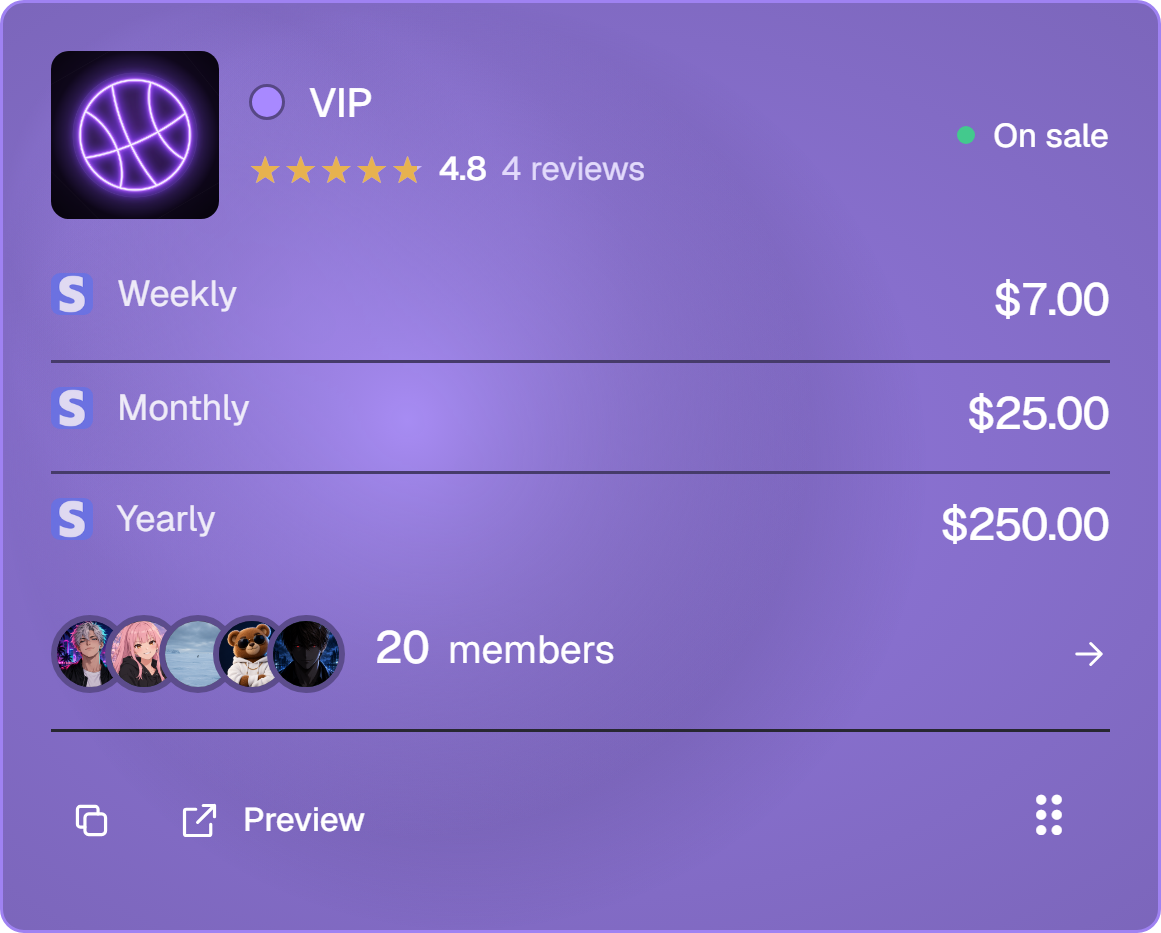
- Weekly, monthly, yearly, custom-period or one-time prices on the same role
- Free trials, sale prices and promotion codes
- A grace period while Stripe retries a failed card, and access that ends when the paid time does
- Members who already pay you through Stripe reconnect with
/integrate, without paying twice - Private support tickets with
/support, reviews on your post, and team access with set permissions
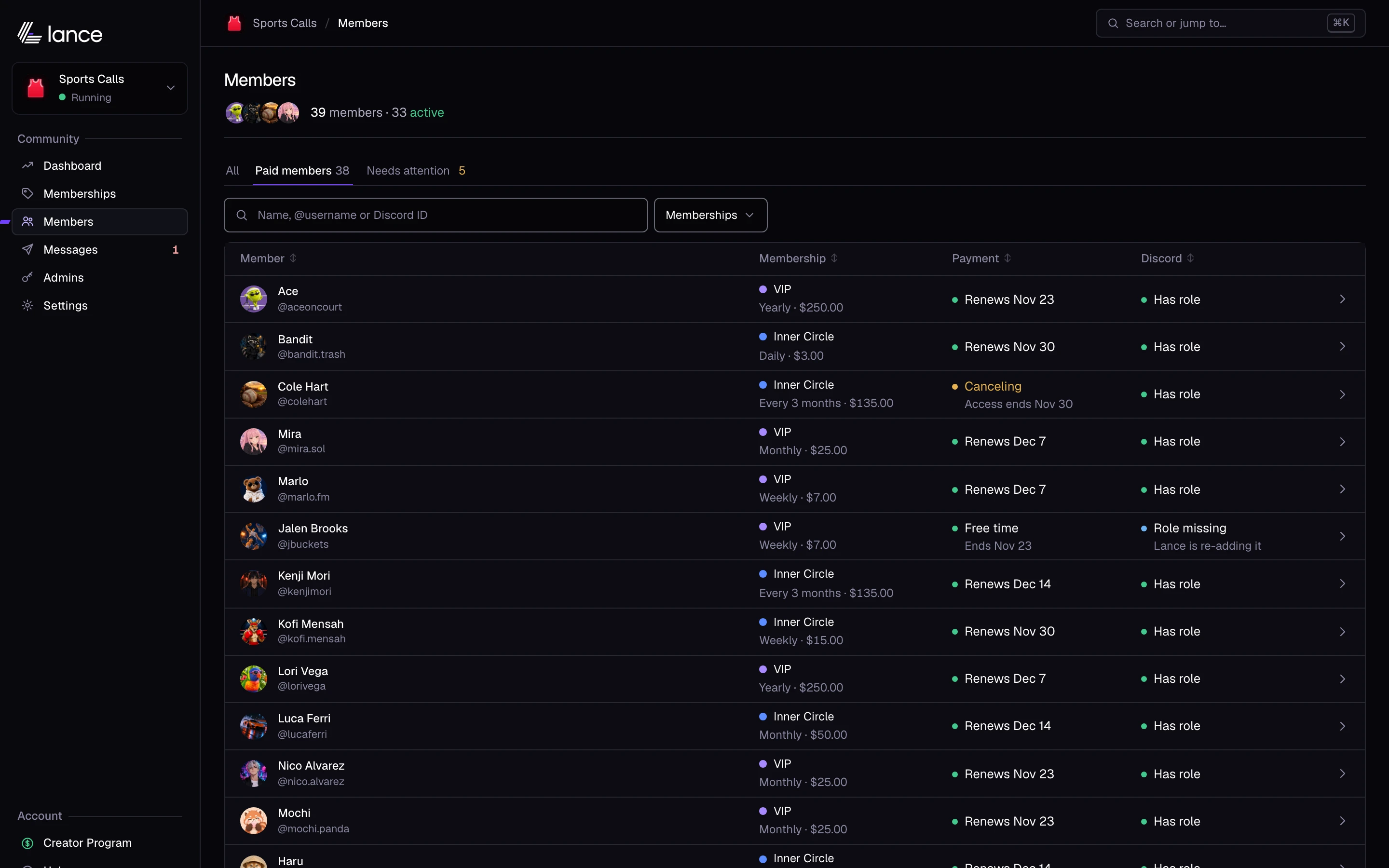
Every member, what they pay and where they stand, in one place, with which memberships sell best:
“Made the switch from Whop to Lance and ngl it’s way easier. I like how everything just works through Discord and people don’t have to deal with a bunch of extra steps to join. Makes running my business on Discord a lot simpler.”
 @nicksvisionnSensei Trades, on Lance
Lance is free to use: no monthly fee, 2.5% per sale, plus Stripe’s fees. See the setup step by step.
2. Whop
A platform for selling many kinds of digital products, Discord access among them.
Best for
- You sell more than Discord access, such as courses, files or software
- You want one platform for everything you sell
Worth knowing
- Selling Discord access uses Whop’s Discord app, which adds a 3% fee on that product’s payments, on top of 2.7% + $0.30 card processing
- Sales are paid to Whop and you withdraw them; Whop lists a fee for each payout method
- Optional extras such as billing, tax and payment routing each add a fee on top of processing
3. LaunchPass
Paid access for Discord, Slack and Telegram communities.
Best for
- You run communities on Slack or Telegram as well as Discord
Worth knowing
- Charging for access is on Premium: $29 a month per community plus 3.5% a sale, with Stripe’s fees on top
4. Upgrade.chat
A payment bot for Discord and Telegram that takes PayPal and Venmo as well as cards.
Best for
- Your members want to pay with PayPal or Venmo
- You also sell access to a Telegram channel
Worth knowing
- The free plan’s rate is 5.9% and covers up to 500 subscribers; paid plans lower the rate
5. Discord Server Subscriptions
Discord’s own paid tiers, set up in Server Settings with no bot.
Best for
- You’re in the US and want everything inside Discord’s own settings
Worth knowing
- Only for US-based owners, 18 or older, with a US bank account and ID; the server must be a Community server
- Discord keeps 10% of each sale
- Payouts are monthly, after you’ve earned your first $100
How to choose
- Only selling access to your Discord, and want the money in your own Stripe: Lance
- Selling courses, files or software too: Whop
- Running communities on Slack or Telegram as well: LaunchPass
- Members who want to pay with PayPal or Venmo: Upgrade.chat
- US-based, 18+, and want no bot at all: Discord Server Subscriptions
“Super cool platform - would 100% recommend. The team helped me set up my server in under 10 minutes.”
 @dpolo.23DRP Trading, on Lance
Questions
- Do I need a bot to charge for a Discord server?
- Not strictly: Discord’s own Server Subscriptions need no bot, but they’re only for US-based owners who are 18 or older. Everywhere else, a bot or platform takes the payment and gives the role. You can also give roles by hand, which works for a few members until cancellations and failed cards pile up.
- How does a membership bot work?
- You lock your paid channels to a role, and the bot sells that role. When someone pays, it gives them the role; when they cancel or stop paying, it removes it. How to set up a Discord paywall
- Can members pay with PayPal?
- Not with Lance: members pay with cards, Apple Pay, Google Pay, Link or Cash App Pay, through Stripe. Upgrade.chat takes PayPal and Venmo.
- Can I switch bots later without losing members?
- Yes. If your members already pay through your own Stripe account, connect each paid role to that checkout and members reconnect with
/integrate; nobody pays twice. Bring in members who already pay you If they pay through another tool, give each one free access in Lance for the time they’ve already paid for, ask them to turn off renewal in the old tool, and they subscribe through Lance before their free time ends, without a gap. Move members from another payment tool
Comparing two directly? See Lance vs Whop, Lance vs LaunchPass and Lance vs Discord Server Subscriptions.
Sources
- Whop: Payment Processing and Payout Fees
- Whop: Discord App (3% app fee)
- LaunchPass: Pricing
- Upgrade.chat: Pricing
- Discord: Server Shop for Server Owners and Admins
- Lance: How the Lance fee works
Prices and features change; check each company’s own site before you decide. Whop, LaunchPass, Upgrade.chat and Discord are trademarks of their owners. Lance isn’t affiliated with or endorsed by them.