
Compare
Lance vs LaunchPass
Both charge for access to a Discord server through Stripe. LaunchPass also covers Slack and Telegram; Lance is built only for Discord, with no monthly fee. Here’s how they compare.
Prices from each company’s own pages, checked November 2026.
Lance and LaunchPass side by side
| Lance | LaunchPass | |
|---|---|---|
| Monthly fee | None | $0 Basic, $29 Premium |
| Fee per sale | 2.5% + Stripe’s fees | 3.5% on Premium + Stripe’s 2.9% + $0.30 |
| Where the money goes | Your own Stripe account | Through Stripe |
| What you can sell | Discord roles | Access to Discord, Slack and Telegram |
| Who can use it | Anyone with a Stripe account | See LaunchPass |
Which is the better pick
Lance, if
- Your community is only on Discord
- You don’t want a monthly fee: Lance has none, while charging for access on LaunchPass is on its $29-a-month Premium plan
- You’d rather pay 2.5% per sale than 3.5%, with Stripe’s fees on top of either
- You want members to check out without leaving Discord
LaunchPass, if
- You also run paid communities on Slack or Telegram
LaunchPass
Paid access for Discord, Slack and Telegram communities.
A good fit if
- You run communities on Slack or Telegram as well as Discord
Worth knowing
- Charging for access is on Premium: $29 a month per community plus 3.5% a sale, with Stripe’s fees on top
How Lance works
You put a price on a Discord role with /create and post it with /post. Members press Get access and check out privately inside Discord, with cards, Apple Pay, Google Pay, Link or Cash App Pay. The money goes straight into your own Stripe account, Lance gives them the role, and takes it away when they stop paying.
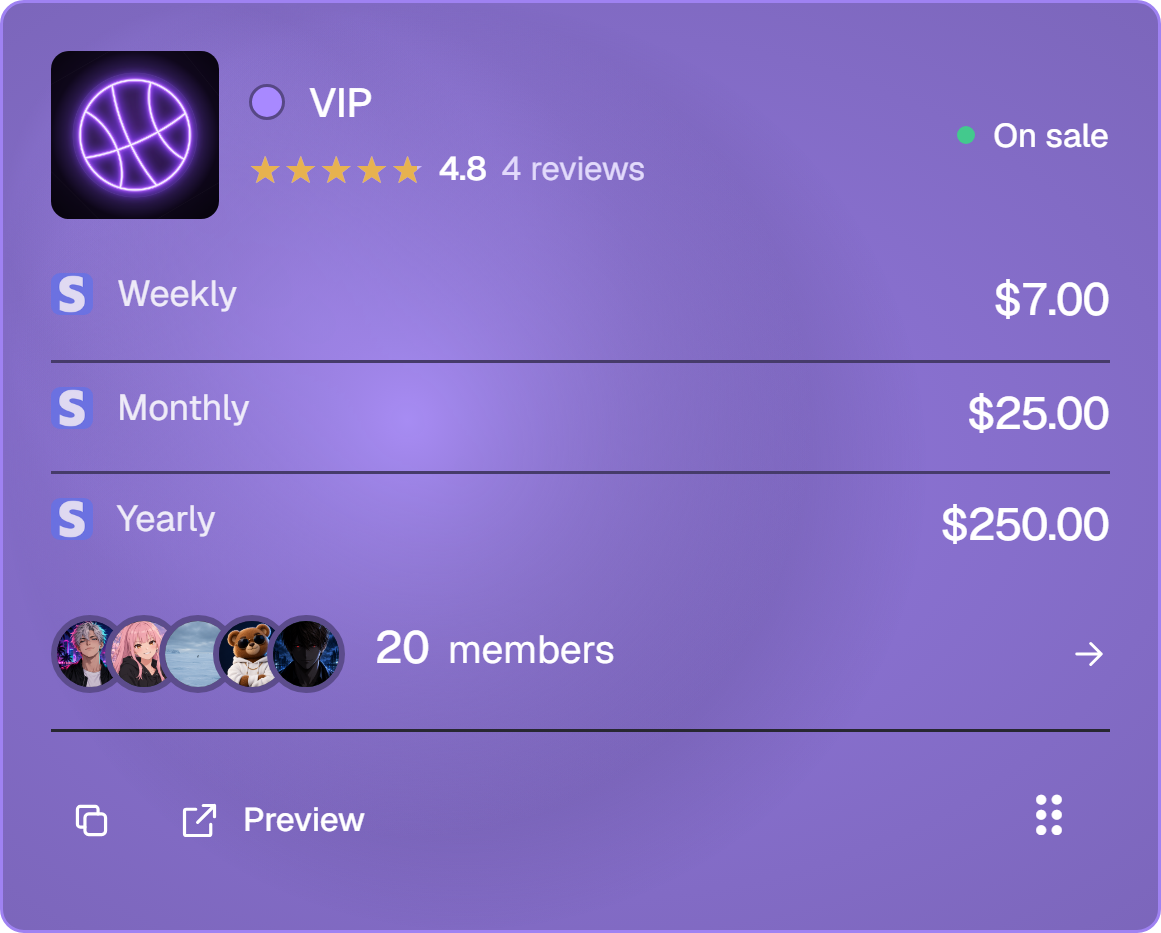
- Weekly, monthly, yearly, custom-period or one-time prices on the same role
- Free trials, sale prices and promotion codes
- A grace period while Stripe retries a failed card, and access that ends when the paid time does
- Members who already pay you through Stripe reconnect with
/integrate, without paying twice - Private support tickets with
/support, reviews on your post, and team access with set permissions
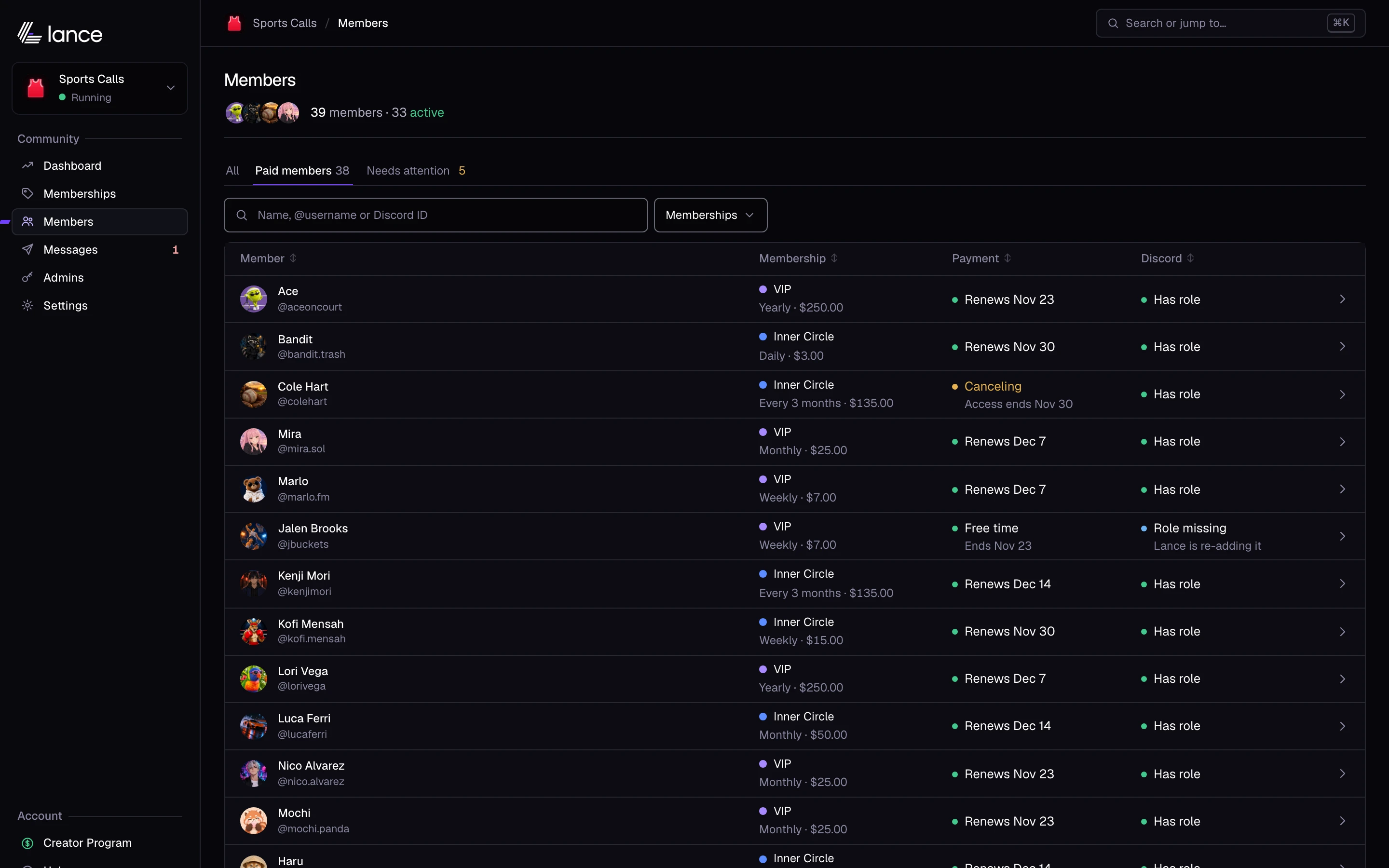
Every member, what they pay and where they stand, in one place, with which memberships sell best:
“Lance helps me manage 4000+ people in my server. I like how payouts go straight to my Stripe account without having to worry.”
 @convxfvVanta Alpha, on Lance
Lance is free to use: no monthly fee, 2.5% per sale, plus Stripe’s fees. See the setup step by step.
Moving from LaunchPass to Lance
If your members already pay through your own Stripe account, connect each paid role to that checkout and members reconnect with /integrate; nobody pays twice. Bring in members who already pay you If they pay through another tool, give each one free access in Lance for the time they’ve already paid for, ask them to turn off renewal in the old tool, and they subscribe through Lance before their free time ends, without a gap. Move members from another payment tool
Lance vs LaunchPass: questions
- What does each cost?
- Lance: no monthly fee, 2.5% per sale plus Stripe’s fees. LaunchPass: charging for access is on Premium, $29 a month per community plus 3.5% a sale, with Stripe’s 2.9% + $0.30 on top.
- Can I move my LaunchPass members to Lance?
- Yes. If they pay through your own Stripe account, connect that checkout and they reconnect with
/integrate. Otherwise, give them free access for the time they’ve paid and they subscribe through Lance before it ends. Move members from another payment tool - Does Lance work with Slack or Telegram?
- No. Lance is built only for Discord.
Weighing more options? See the best Discord bots for paid memberships, Whop alternatives and LaunchPass alternatives.
Sources
Prices and features change; check each company’s own site before you decide. LaunchPass is a trademark of its owner. Lance isn’t affiliated with or endorsed by them.